User account
the account for the user tha is needed in order to have access

Welcome to TowardsGreen page!Please wait...
This may take a little longer...



Towards Green (TG) is a new app that is intented to help municipalities come closer to the citizens and vice versa. Municipalities often delay to do even the simple tasks like cleaning a park. Other than that, they seem to struggle to keep track of open issues in the community. Towards Green is here to deal with all this problems, having citizen as the main focus. Should one want to use the app, one will have to create an Account. After that, one can through a simply and cozy interface share issues that have come to one's attention, take part in volunteering events and many more that are described detaily at the "Main App features" section.
As I have already mentioned, this project has been implemented for the course Application Development of Computer Systems at AUEB for the year 2021-2022. We were asked to foster a pioneering idea for an upcoming app. In a world that constanly changes and demands people's attention more than ever before, there is nothing else but environment that could draw our interest.
Such a sad sight... I wish I could help by treeplanting!
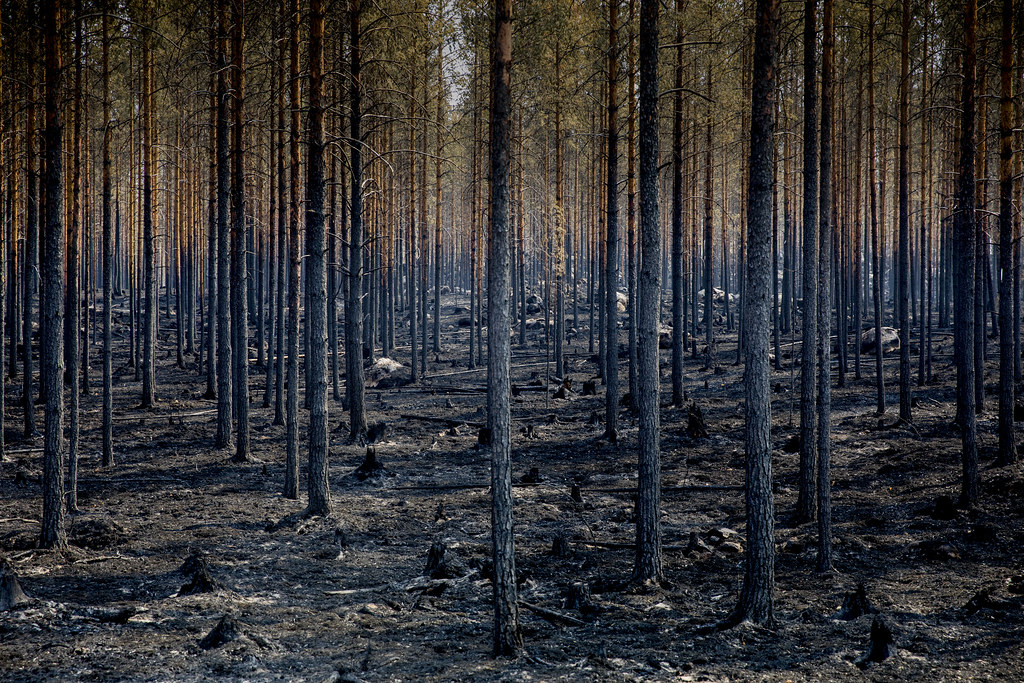
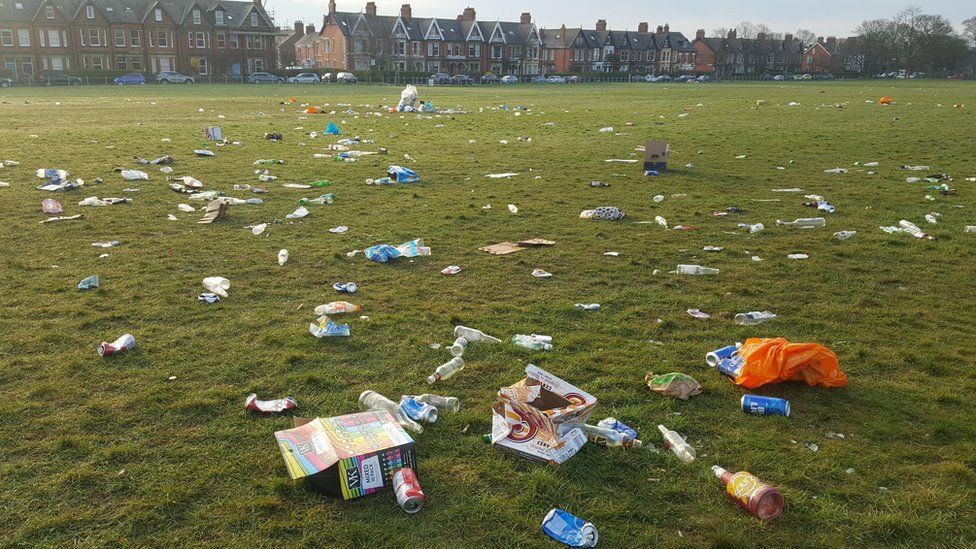
Meh. I feel terrible seeing our park in this situation. How can I find people to help me cleaning the place?
Do you want to help protect the environment but you don't know how?
Towards Green is here!
 Volunteering work
 Better world
 Protect environment
the account for the user tha is needed in order to have access
one of the two roles. This role gives additional access to features like create an event and QR scanning

it contains user's information

it is uploaded by users and contains useful infromation for the issue that concerns them

it is created only by supervisors and gives the opportunity to users to take part in it. Furthermore, it contains useful information for the place and time that is going to take place

it is created by supervisor and can be achieved by one by attending an event. Badges come with points that are added at the user's account

it is operated only by supervisors and its use is mandatory for the user's confirmation of participation

it shows the rank, the username and the points of each user

All these features are supported in version Version 1
Create a User account and connect to it
Create, Edit and Delete a Post
Create, Edit and Delete an Event
Fully functioning points-allocation system after the event has closed
Fully functioning QR code-scanning system to confirm user's participation
Fully functioning badge-allocation system
Leaderboard page
Idea conception
Main idea
Phase 1: define specifications
Phase 2: concept presentation
Mockups
Phase 3: mockups presentation
Functionality implementation
Phase 4: Final product presentation
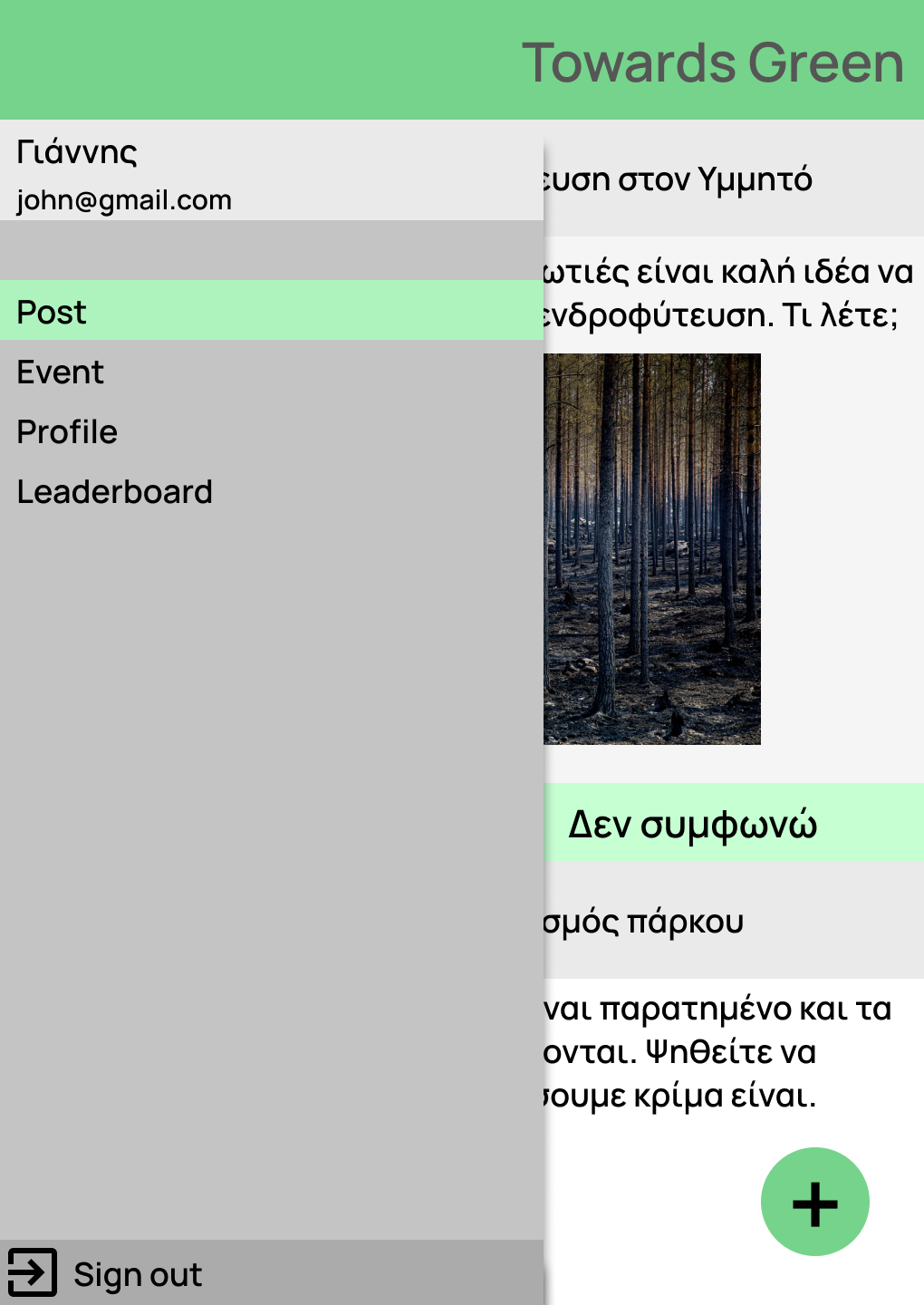
This is the sidemenu. User can use this to navigate among the main pages of the app, such as Post page, Event page, User's profile and Leaderboard. Also, you can easily observe that in the top corner is displayed user's name and email, while on the bottom corner there is the option to sing out from your account.
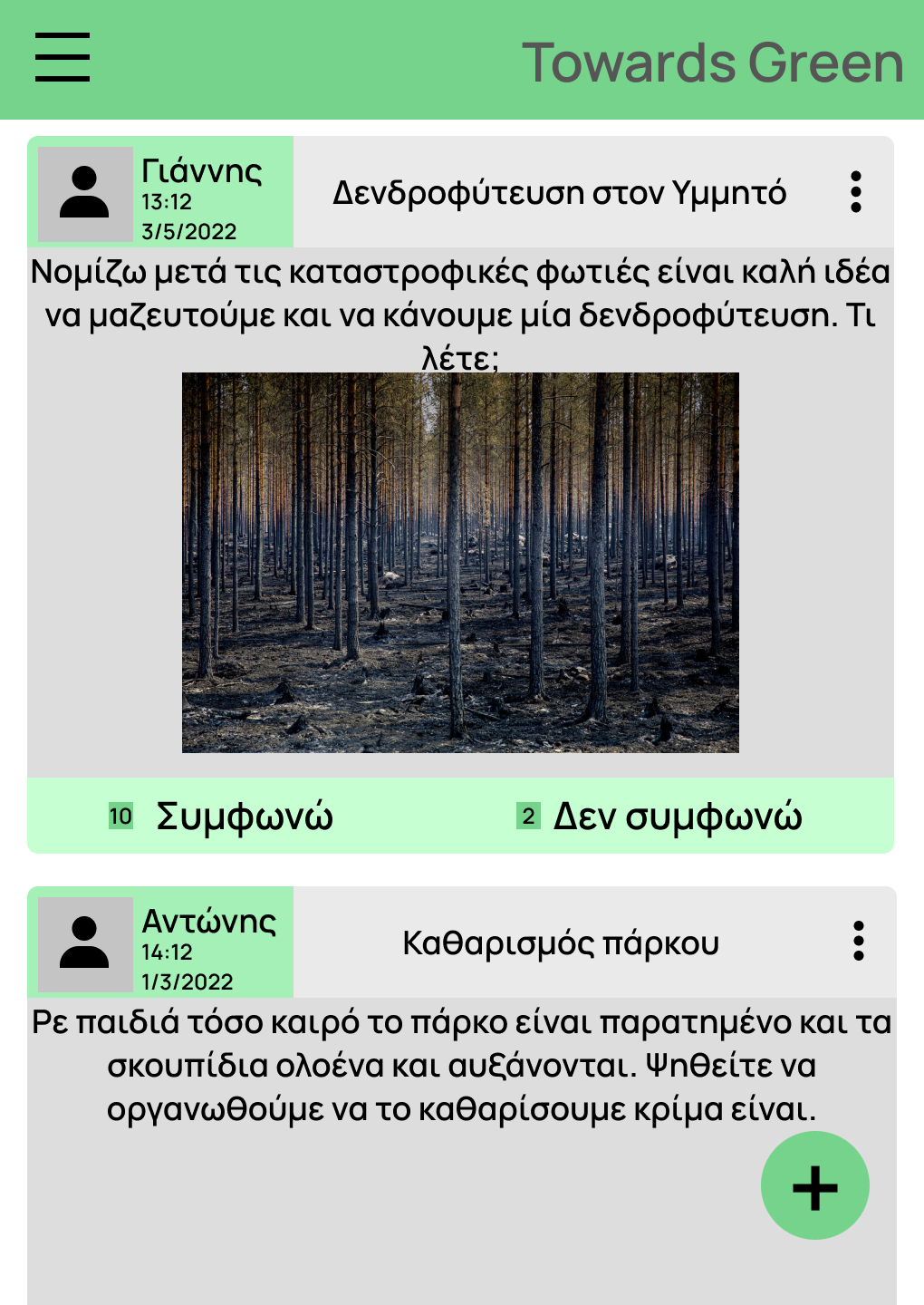
This is the post page. Here you will find all the posts that have been posted from users. You can react with "Agree" or "Disagree", depending on if you have observed this problem in your municipality and you are willing to help.
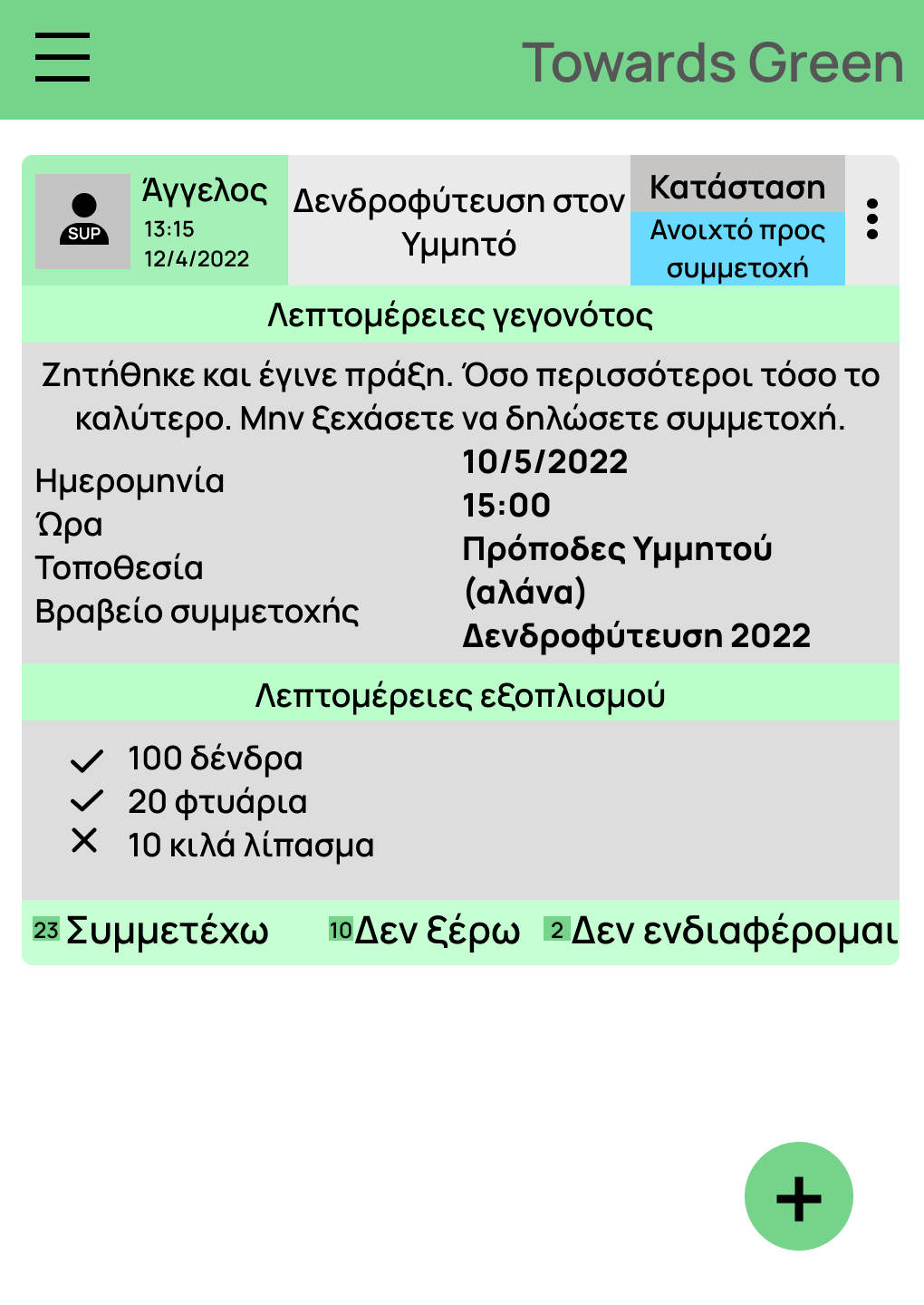
This is the event page. Here you will find all the events that have been posted from supervisors, since they are the only ones with the privilege to create these. Every event displays all the appropriate information one will want to know. For example, an event should have the place, the time and the location that is going to take place. Other than that there are some extra optional features that a supervisor can fill, like a badge or details about the equipment that is needed. User can then react as long as the event is open. One can understand the status of the event by watching the container on the top corner of an event with label "Κατάσταση". If the status changes to something else, user will not have the opportunity to react neither attend the event.
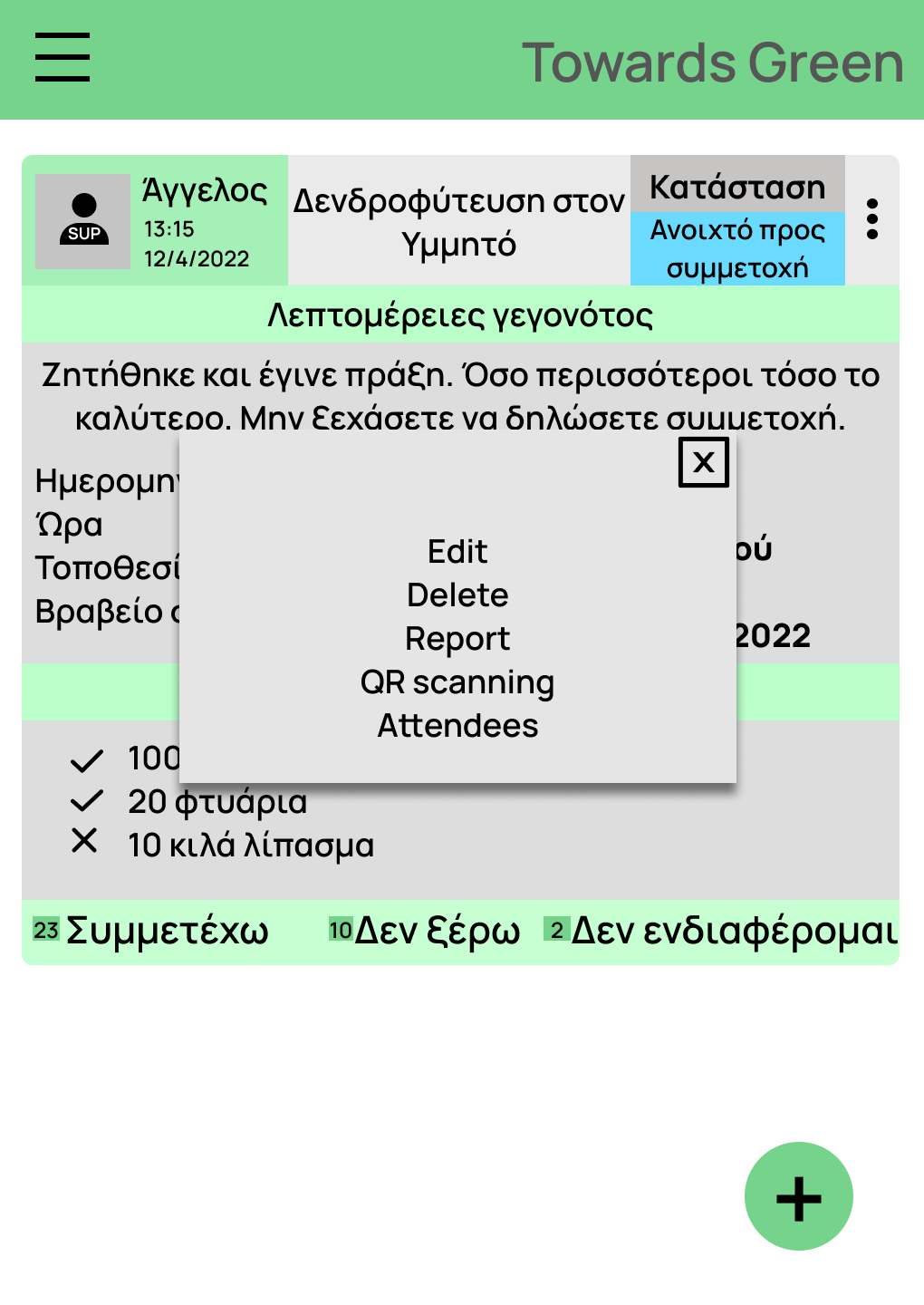
By tapping the three dots at the top right corner of the event, a menu is going to be displayed. The options are going to be described at the next mock ups.
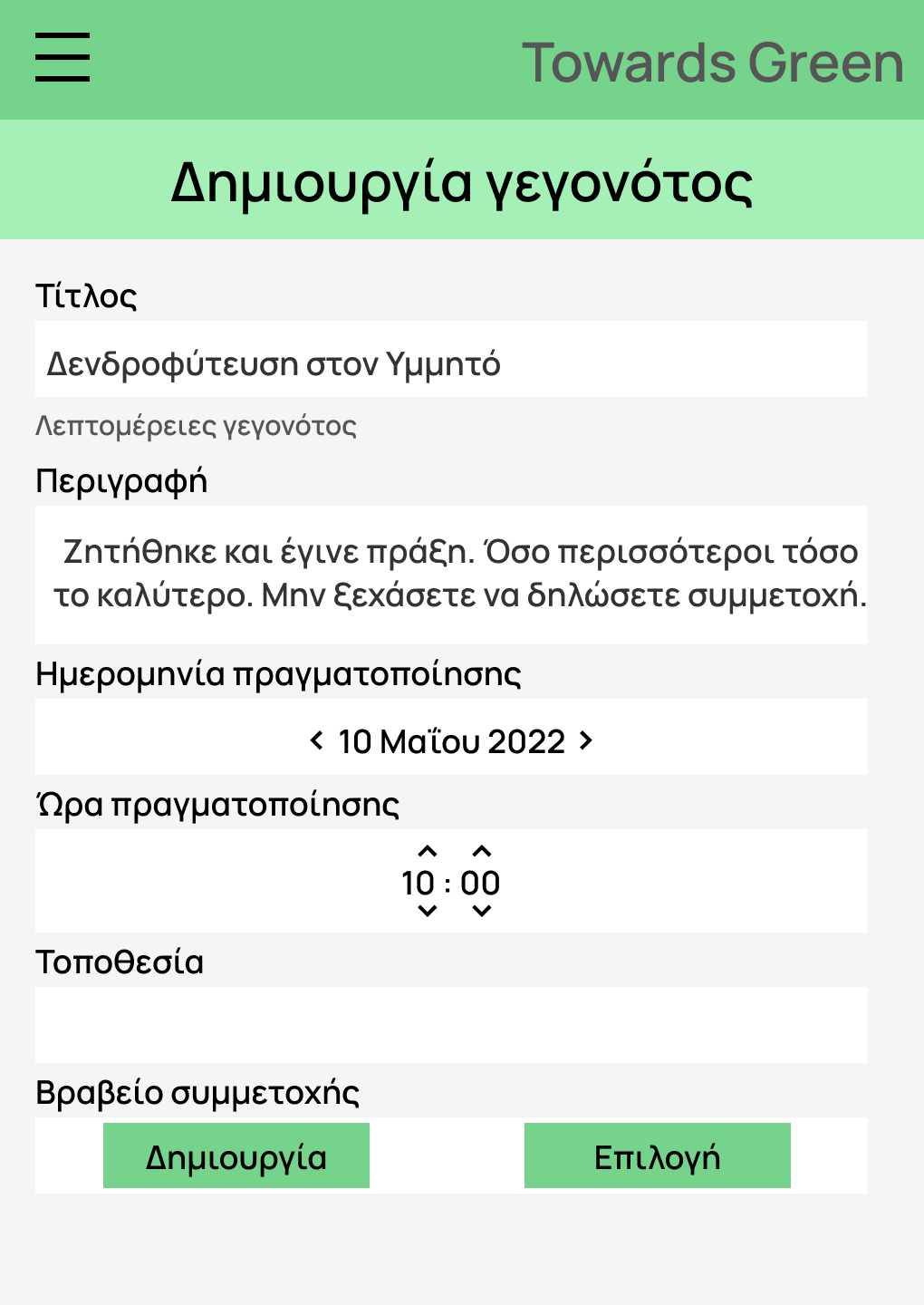
This is the event creation page that a supervisor can redirect in to create an event. Supervisor has the privilege to turn a post into an event. If a post has drew supervisor's interest and has many reactions, one can create an event from that. Then one will have to choose the date, the time, the location and can add a badge or details for equipment.
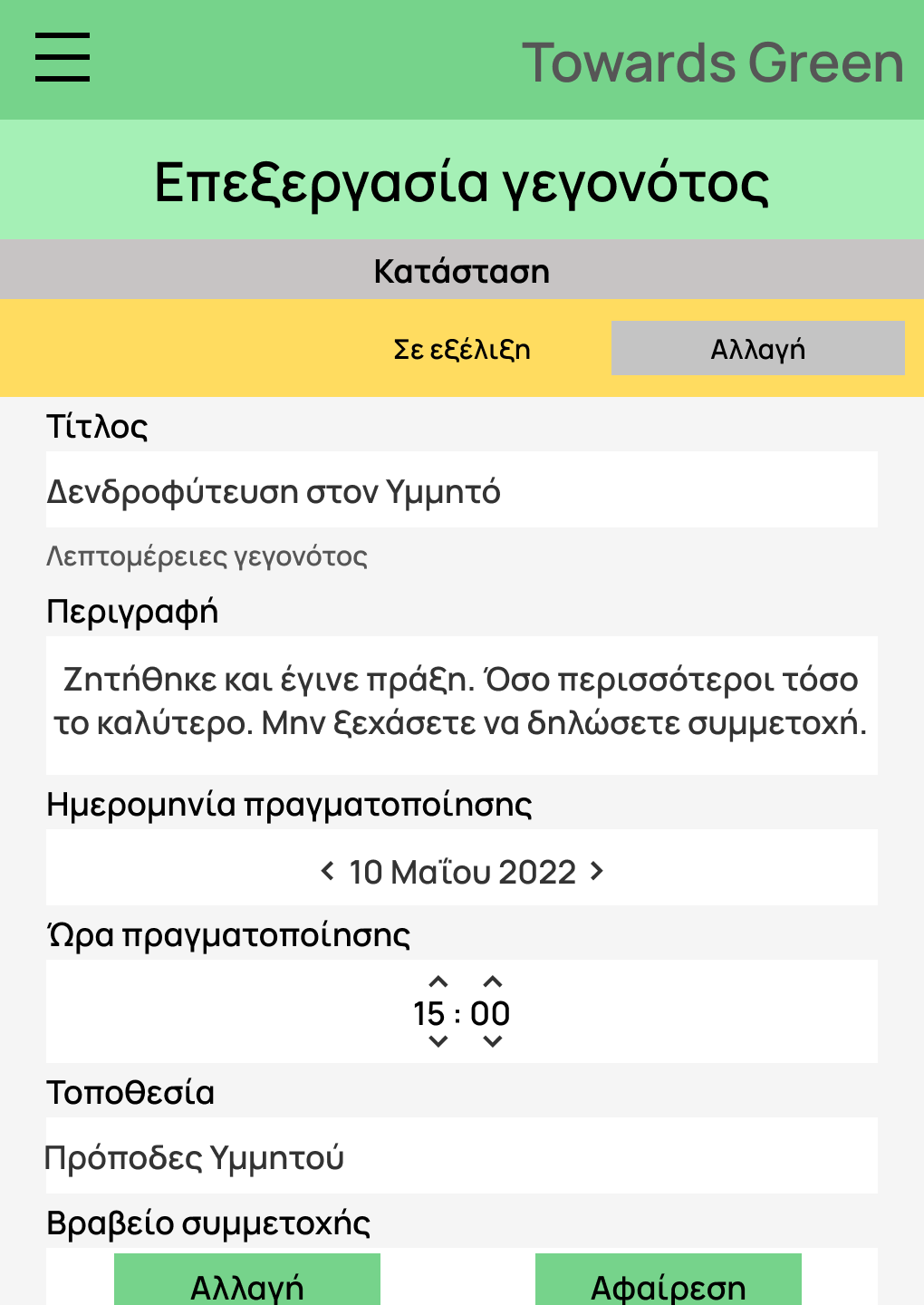
This is the event edit page that a supervisor can redirect in to change some of the event's details. The most important thing here is that through this page, one can change the status of the project by tapping "Αλλαγή" (change) on the top corner.
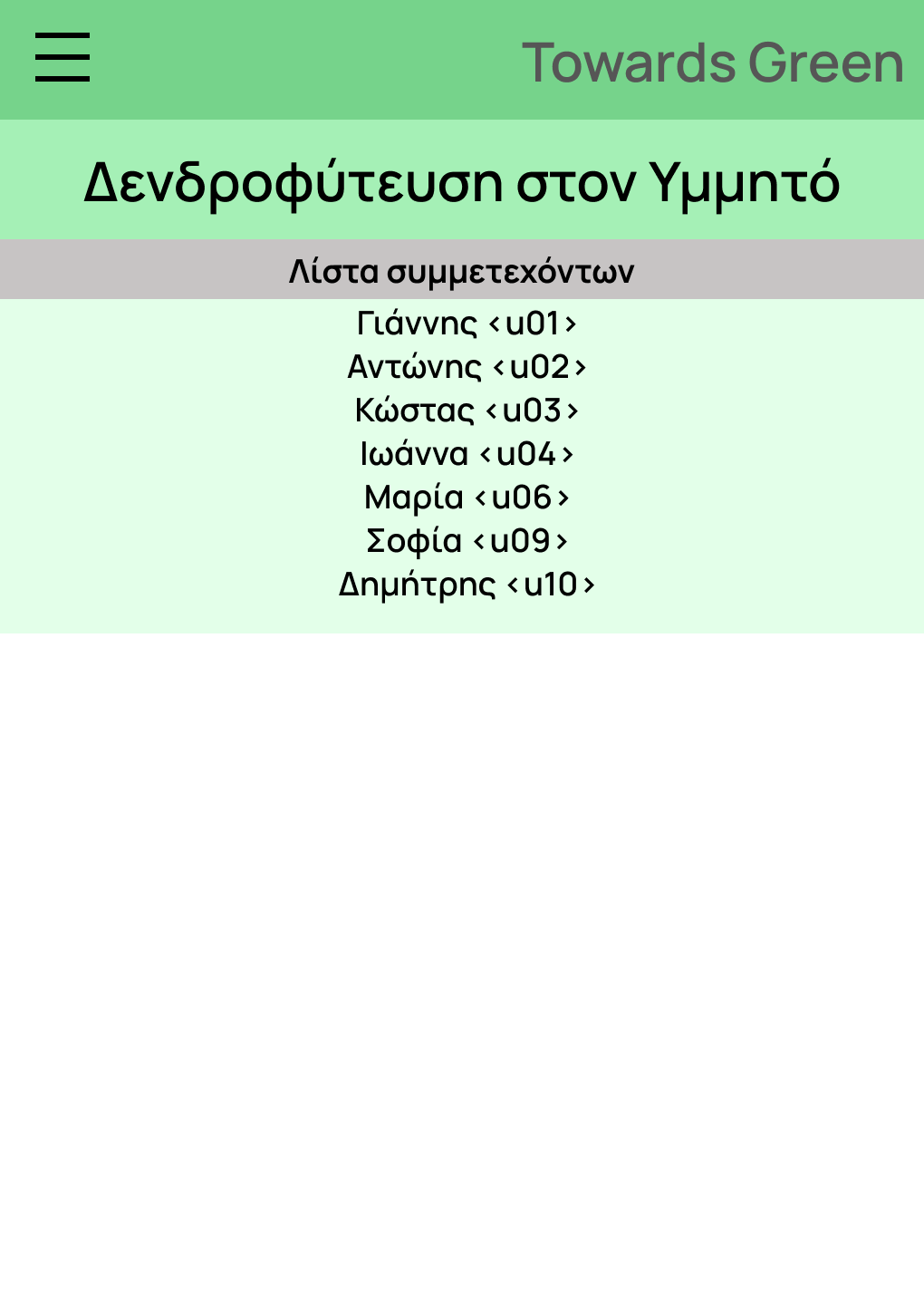
This is the attendees list as it is shown when someone tap the three dots at the top right corner of an event. Supervisor has additional information, showing whether someone has attendeed or not.
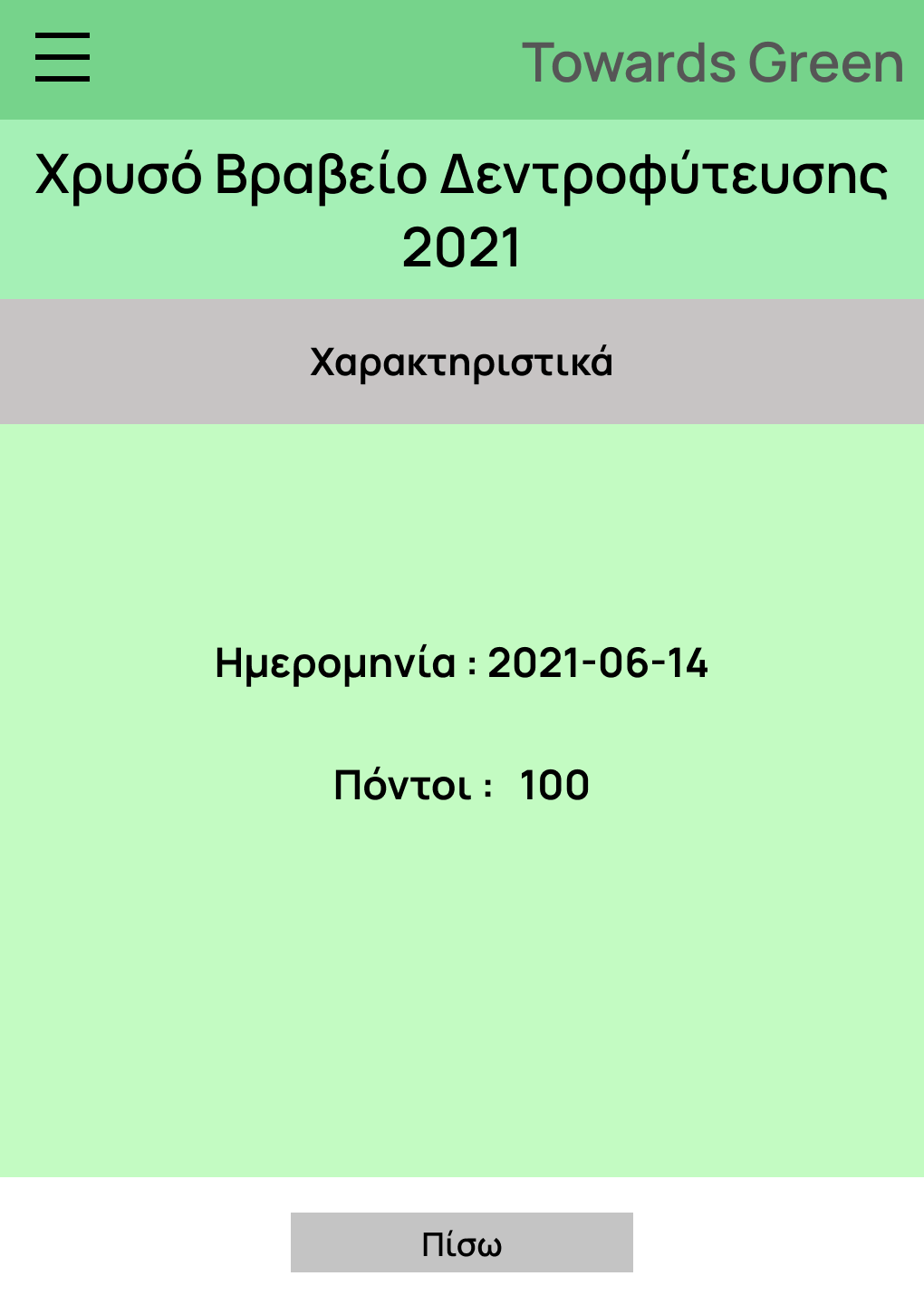
By tapping on the "More" button by a badge's name one can see futher information about it.
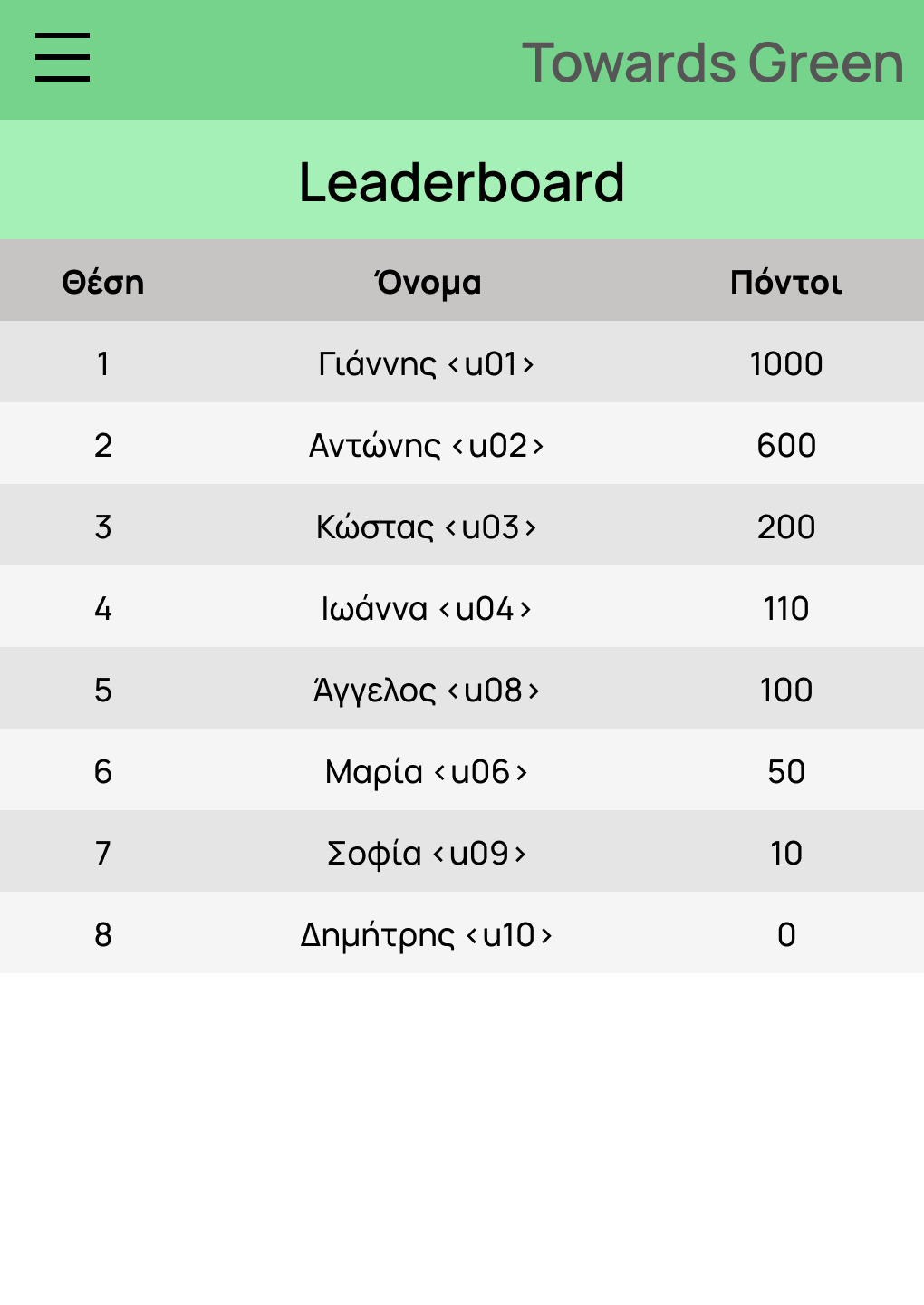
Leaderboard shows the rank and points of users. Every time that someone has attendeed succesfully in an event and a badge has been attached to this specific event (meaning that is going to be accompanied by points), points are going to be added to his accounts and obviously one's rank will change.
This is the log in screen. In order to use the app, one has to log in using one's credentials.
This is the post page. Here one can see all the posts. For performance reasons, we have set the post-fetched boundary at 3 per time. Every time that one scrolls down, more posts are fetched and dipslayed at the screen. Furthermore, one can refresh the page by scrolling up (pull-up-refresh).
This is the event page. Here one can see all the events.For performance reasons, we have set the post-fetched boundary at 2 per time (same mechanism as the posts). Pull-to-refresh works here as well.
This is the event creation page. By tapping the "+" floating button, supervisor will redirect to this page. One will have to fill all the fields. Furthermore, one can fill the optional requirement field to help the whole organization of the event. One has the opportunity to set if a requirement is fulfilled or not, edit it or delete it.
This is the tree planting event that we created in event creation page.
This is the event attendees list. Supervisor can see whether someone has attendeed the event or not.
This is the profile page. Here one can find information about one's profile with the most important one the QR code.
This is the leaderboard page. This is where users' rank, username and points are displayed.